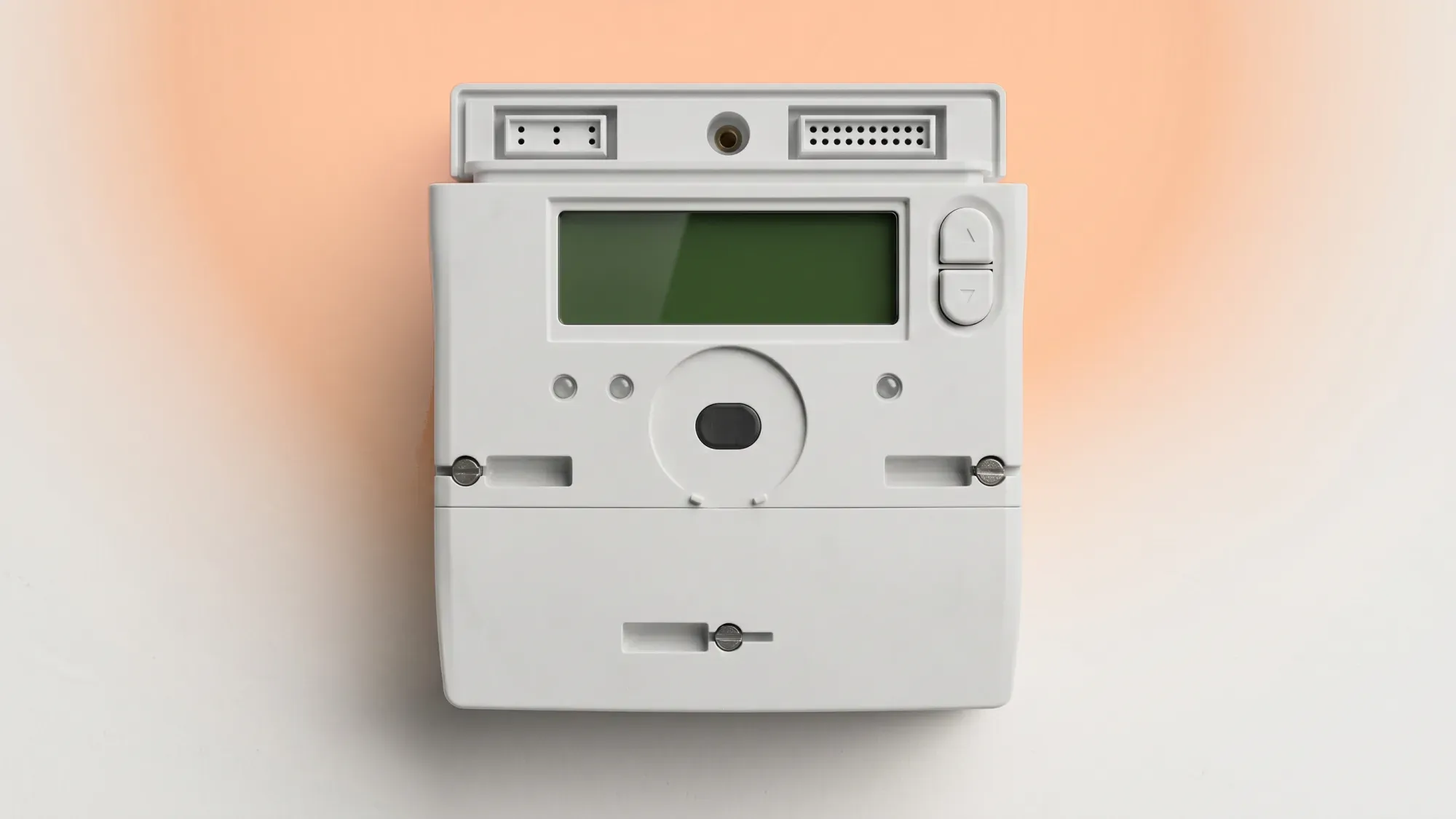
A smart meter display that is not working can be frustrating, but often the issue is minor and easily resolved. This guide offers clear, step-by-step instructions to troubleshoot common problems, helping you understand when to take action yourself and when to contact your energy supplier.
Your smart meter system consists of two main components: the smart meter itself, which measures your energy consumption and sends readings to your supplier, and the in-home display (IHD), which shows you real-time usage and cost information.
What is an in-home display (IHD)?
An in-home display (IHD) is a portable screen that connects wirelessly to your smart electricity and gas meters. It provides a convenient way to see how much energy you are using and how much it is costing. This real-time feedback helps you manage your energy consumption.
How your IHD connects to your smart meter
Your IHD communicates with your smart meters using a secure wireless network, often referred to as a Home Area Network (HAN). This network is separate from your home Wi-Fi and is specifically designed for smart meter communication. The IHD receives data directly from your meters; your meters then transmit your readings to your energy supplier.
The difference between IHD issues and meter faults
It is crucial to distinguish between a problem with your IHD and an issue with the smart meter itself or your energy supply. A blank or unresponsive IHD does not necessarily mean your smart meter is not working or that your energy supply has been cut off. The smart meter continues to record your usage and send data to your supplier even if the IHD is not functioning.
However, there is a critical exception for gas meters. Gas smart meters operate on battery power, and a fully depleted battery on an older SMETS1 gas meter can cause the gas supply to cut off as a safety measure. For electricity meters, a blank display rarely indicates a loss of supply.
Several factors can cause your smart meter display to stop working. Understanding these can help you pinpoint the problem.
Power supply and battery issues
The most common reason for a blank or unresponsive IHD is a power issue. Many IHDs are battery-powered or rely on a mains adapter. If the battery is flat or the adapter is unplugged or faulty, the display will not work.
Loss of connection to the smart meter
Your IHD needs to maintain a connection to your smart meter to receive data. If the display is too far from the meter, or if there are thick walls or other obstructions, the signal can be lost. This can result in a blank screen or a message indicating no connection.
Temporary signal interference
Just like Wi-Fi, the smart meter's HAN can experience temporary interference from other electronic devices or even local network maintenance. This can cause intermittent connection issues or a frozen display.
Display unit faults or freezing
Like any electronic device, your IHD can sometimes freeze or develop a fault. This might manifest as an unresponsive screen, incorrect readings, or the unit simply not turning on despite having power.
Before contacting your energy supplier, try these simple troubleshooting steps.
Check the power and battery
First, ensure your IHD is properly powered. If it uses a mains adapter, check that it is securely plugged into both the display and a working wall socket. Try plugging another device into the same socket to confirm it has power. If your IHD is battery-powered, check if the batteries need replacing or recharging. Some IHDs have a low battery indicator, but a completely flat battery will simply result in a blank screen.
Perform a simple restart or reset
Often, a quick restart can resolve minor electronic glitches. Unplug your IHD from the mains (or remove its batteries if applicable), wait for about 30 seconds, and then plug it back in or reinsert the batteries. This is often enough to clear a frozen screen or re-establish a lost connection.
Relocate your display for better signal
If your IHD is showing a "no connection" message, try moving it closer to your electricity meter. Walls, large appliances, and other electronic devices can interfere with the signal. Placing it within a few metres of the meter, ideally in the same room, can often improve connectivity.
Verify connection status and error messages
Once powered and potentially relocated, observe your IHD for any messages. Look for indicators like "connecting," "no signal," or specific error codes. These messages can provide clues about the underlying problem. Most IHDs will show a signal strength indicator once connected, similar to a mobile phone.
If self-help troubleshooting does not resolve the problem, it is time to contact your energy supplier. They have tools to diagnose issues remotely and can arrange further assistance.
Persistent blank screen or no connection
If your IHD remains blank or consistently shows a "no connection" message after trying the troubleshooting steps, your supplier can investigate. They can check the communication status of your smart meter and IHD remotely.
Gas meter low battery warnings
Pay close attention to any low battery warnings on your gas smart meter display. A fully dead battery on an older SMETS1 gas meter can lead to your gas supply being cut off. Contact your supplier immediately if you see a low battery alert to prevent a potential loss of supply.
Incorrect readings or billing concerns
If your IHD is showing readings that seem wildly inaccurate, or if you have concerns that your energy bills do not match your usage, contact your supplier. While the IHD is generally reliable, discrepancies can occur, and your supplier can cross-reference with the data received directly from your smart meter.
Requesting a free smart meter upgrade
For persistent issues with older smart meters, or if you still have a traditional meter, you can request a free upgrade to a SMETS2 smart meter. In Great Britain, energy suppliers arrange and install these upgrades at no cost to eligible homes, ensuring customers have modern, reliable metering technology.
If you have exhausted all troubleshooting steps and your smart meter display is still not working, Fuse Energy offers human customer support to assist with smart meter issues, providing expert guidance when self-help fails.
Can I still be billed accurately if my display is off?
Yes, you can still be billed accurately even if your IHD is off. Your smart meter itself continues to record your energy consumption and sends this data directly to your energy supplier. The IHD is primarily for your information and convenience, not for the meter's core billing function.
What if my smart meter itself is offline?
If your smart meter itself is offline (meaning it is not sending readings to your supplier), your energy supply will generally not be affected. However, your supplier will then have to estimate your bills based on your past usage. Once the meter's connection is restored, any estimated bills will be adjusted to reflect your actual consumption.
How do I get a new smart meter display?
If your IHD is faulty and cannot be fixed, contact your energy supplier to report the issue. Your supplier can discuss options for a replacement. Customers do not choose or buy their own smart meter model; the energy supplier arranges and installs the meter, typically a free SMETS2 upgrade.
What is an Ivie Bud or other third-party display?
An Ivie Bud, or similar third-party display, is an alternative in-home display that can connect to your smart meter. These devices often offer additional features, such as more detailed energy insights or integration with other smart home systems, beyond what a standard supplier-provided IHD might offer. They typically connect to your smart meter via the HAN, similar to your supplier's IHD.
Managing your energy bills should be clear and easy to understand. Fuse Energy focuses on straightforward pricing, so you can see exactly what you are paying without unnecessary complexity. If you have a smart meter, you can view detailed usage data through the app or website, helping you understand how you can lower your bills. If you do not have a smart meter, Fuse Energy can upgrade your non-smart meter, completely for free. This can make it easier to track spending and make informed decisions about your energy use. Our human support team is always on hand with fast response times whenever you need help. Click here to switch to Fuse Energy today. Find out about our mission by clicking here.