Secure Liberty 100 smart meter explained
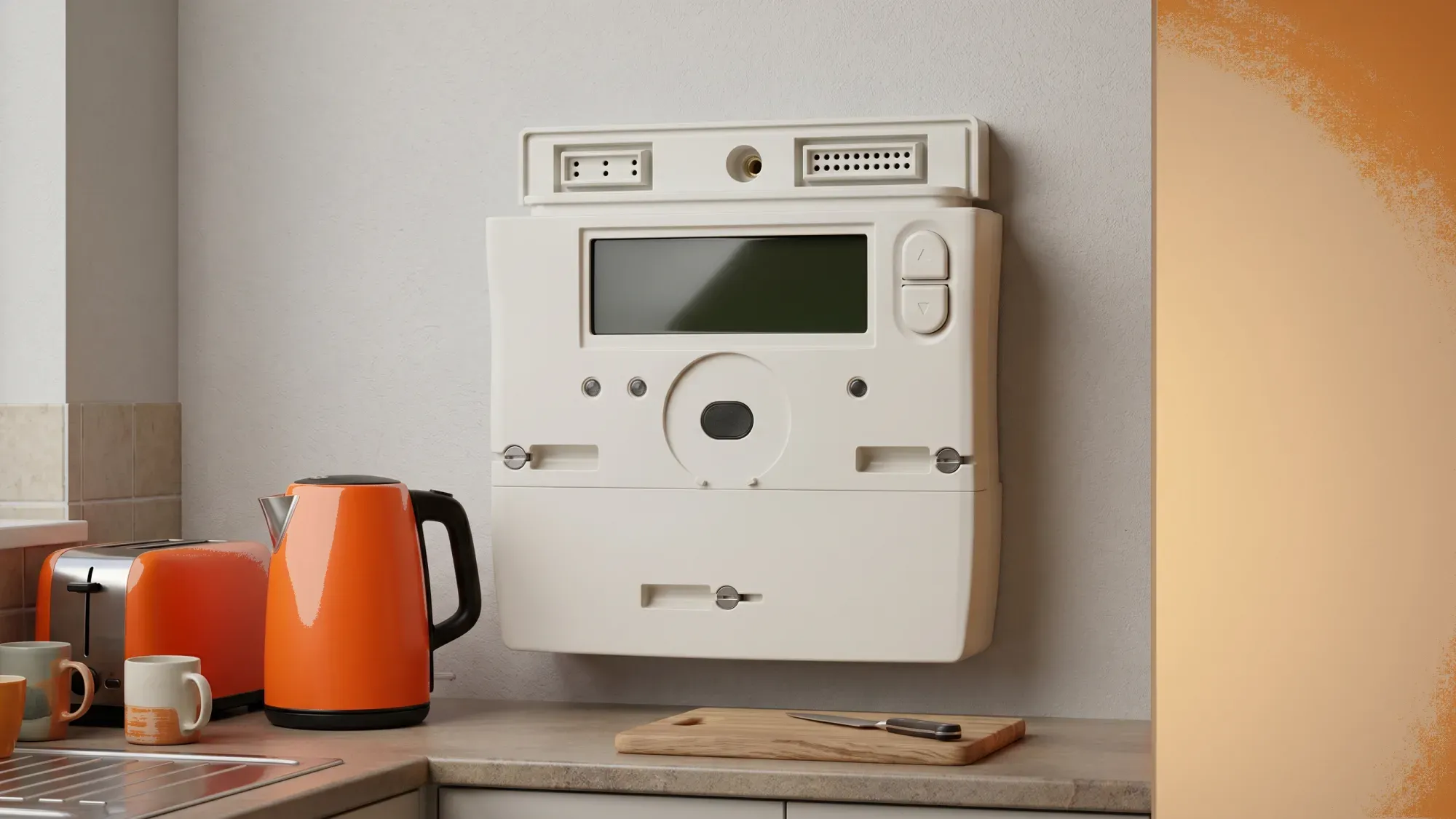
The Secure Liberty 100 is a common SMETS2 compliant smart electricity meter found in many UK homes. This guide will help you understand its general display, functions, and how to approach common issues, empowering you to manage your energy consumption. The average UK home uses around 2,500 kWh of electricity per year, based on Ofgem's medium Typical Domestic Consumption Value (TDCV) effective from 1 July 20261.
Fuse Energy offers a modern, transparent energy experience with 24/7 human support, which is invaluable for customers navigating general smart meter challenges. While we cannot provide specific, detailed operational instructions for the Secure Liberty 100 meter, we aim to provide clear, accessible information for all aspects of energy management.
Understanding your Secure Liberty 100 smart meter can help you gain better control over your electricity usage and bills. Fuse Energy offers clear pricing, real-time usage data, and 24/7 human customer support. Signing up takes just a few minutes, so you can take control of your bills from day one. Click here to switch to Fuse Energy today and start saving.
Enter your address to get a quote and see how much you could save
Understanding your Secure Liberty 100 meter
The Secure Liberty 100 is a single-phase electricity meter designed to provide accurate readings of your household's electricity consumption. As a SMETS2 meter, it represents the second generation of smart metering equipment in Great Britain.
What is a SMETS2 smart meter?
SMETS2 stands for "Smart Metering Equipment Technical Specifications, second generation". These are advanced smart meters designed to offer greater functionality and interoperability compared to earlier SMETS1 models, allowing for more reliable communication with energy suppliers, reducing the need for manual submissions. SMETS2 meters are designed for interoperability, meaning they generally retain smart functionality if you switch energy suppliers, though some specific functions may vary depending on the meter and supplier. While they aim to provide accurate billing, estimated bills can still occur if a meter goes offline or experiences communication issues. All new smart meter installations in Great Britain must be SMETS2 compliant.
What does SMETS2 mean for me?
SMETS2 meters are designed for interoperability, meaning they generally retain smart functionality if you switch energy suppliers, though some specific functions may vary depending on the meter and supplier. They aim to provide accurate billing by automatically sending readings, reducing the need for manual submissions. However, if your meter goes offline, estimated bills can still occur until communication is restored.
Key features of the Secure Liberty 100
The Secure Liberty 100 is built to the SMETS2 standard, offering features such as automatic meter readings and two-way communication with your energy supplier. This allows for more accurate billing and access to smart tariffs. Its display provides key information about your electricity usage, and it's designed to be interoperable, meaning it should maintain its smart functionality if you decide to switch energy suppliers.
How to read your Secure Liberty 100 meter
Reading your Secure Liberty 100 meter involves navigating its display using the buttons provided. While smart meters are designed to send readings automatically, knowing how to take a manual reading is useful for verification or if your meter is temporarily offline.
Locating your electricity reading
Your electricity reading will typically be displayed in kilowatt-hours (kWh). To find it, you'll need to cycle through the meter's display screens. Look for a screen that shows "TOTAL" or "IMP" (for import) followed by a number and "kWh". This represents your total electricity consumption.
Understanding the display buttons
The Secure Liberty 100 usually has a few buttons to navigate its display. While specific button sequences can vary slightly by meter firmware, there are generally 'A' and 'B' buttons, or similar. These buttons allow you to cycle through different information screens, such as your current reading, tariff details, and potentially historical usage.
Tips for accurate readings
- Take a photo: Snap a picture of the display showing the reading for your records.
- Note the date and time: This helps track your consumption over specific periods.
- Be consistent: If submitting manual readings, try to do so at the same time each month for better accuracy.
Common display messages and troubleshooting
Your Secure Liberty 100 meter may display various messages or symbols. Understanding these can help you identify and resolve minor issues.
What to do if your meter is offline
If your smart meter goes offline, it means it's not communicating with your energy supplier. This can lead to estimated bills until communication is restored.
- Check the display: Look for any error messages or symbols indicating a communication issue.
- Contact your supplier: If the meter remains offline, contact your energy supplier. They can diagnose the issue and arrange for a fix.
Interpreting error codes and symbols
While specific codes vary, common symbols might include:
- Signal strength icon: Indicates connectivity. A low or absent signal could mean your meter is offline.
- Battery icon: For gas smart meters, this indicates battery level. For electricity meters, it's less common.
- "error" or specific codes: These usually require your supplier's intervention to interpret and resolve.
When to contact your energy supplier
You should contact your energy supplier if:
- Your meter display is blank or unresponsive.
- You see persistent error codes you can't interpret.
- Your smart meter has been offline for an extended period.
- You suspect a fault with your meter or its readings.
- You need assistance with tariff information.
Managing your energy with a smart meter
A Secure Liberty 100 smart meter offers more than just readings; it provides tools to help you manage your energy consumption more effectively.
Benefits of SMETS2 technology
SMETS2 meters offer several advantages:
- Accurate billing: Automatic readings mean you're billed for exactly what you use, reducing estimated bills.
- Interoperability: Your meter should generally remain smart even if you switch suppliers, though some specific functions may vary.
- Smart tariffs: Access to time-of-use tariffs that can offer cheaper electricity during off-peak hours.
- Environmental benefits: Better data helps the energy grid operate more efficiently.
Understanding your energy consumption data
Your smart meter, often paired with an In-Home Display (IHD) or an energy supplier's app, provides detailed insights into your energy usage. This data can show you when you use the most electricity, helping you identify opportunities to reduce consumption.
The role of your In-Home Display (IHD)
An IHD connects wirelessly to your smart meter and shows your energy consumption in near real-time, often in kWh and estimated cost. It's a valuable tool for monitoring your usage and making informed decisions about when to run appliances. Keep your IHD plugged in and close to your meter for optimal performance.
Support for your Secure Liberty 100 meter
Managing your energy effectively means having reliable support when you need it.
Fuse Energy's 24/7 human customer support
Fuse Energy's 24/7 human customer support is available to help with general smart meter enquiries and provide guidance on meter-related issues. Our team can assist with understanding your bills, troubleshooting common problems, and escalating any meter faults to the relevant parties. We believe in empowering our customers with clear information and support.
Using the Fuse app for energy insights
The Fuse Energy app provides clear usage data, helping customers with Secure Liberty 100 meters better understand their energy consumption. You can track your usage, view your balance, and manage your account all from your smartphone, giving you greater control over your energy.
Switching to Fuse for a modern energy experience
Fuse Energy offers a comprehensive, user-friendly guide to the Secure Liberty 100 meter, positioning itself as a helpful and transparent energy supplier that empowers customers with clear information and 24/7 human support. By offering clear information and support, Fuse empowers customers to take control of their energy management, regardless of their meter type. Switching is straightforward, and our modern app and dedicated support team are there to ensure a smooth transition and ongoing assistance.
Managing your energy bills should be clear and easy to understand. Fuse Energy focuses on straightforward pricing, so you can see exactly what you're paying without unnecessary complexity. If you have a smart meter, you can view detailed usage data through the app or website, helping you understand how you can lower your bills. Our 24/7 human support team is always on hand with fast response times whenever you need help. Click here to switch to Fuse Energy today. Find out about our mission by clicking here.
References
Disclaimer
For the avoidance of doubt, this article is provided for informational purposes only and is not intended to constitute legal or financial advice. The author and/or Fuse Energy shall not be responsible for any losses arising out of any reliance on the information contained herein.