Gas smart meter not working: troubleshooting guide
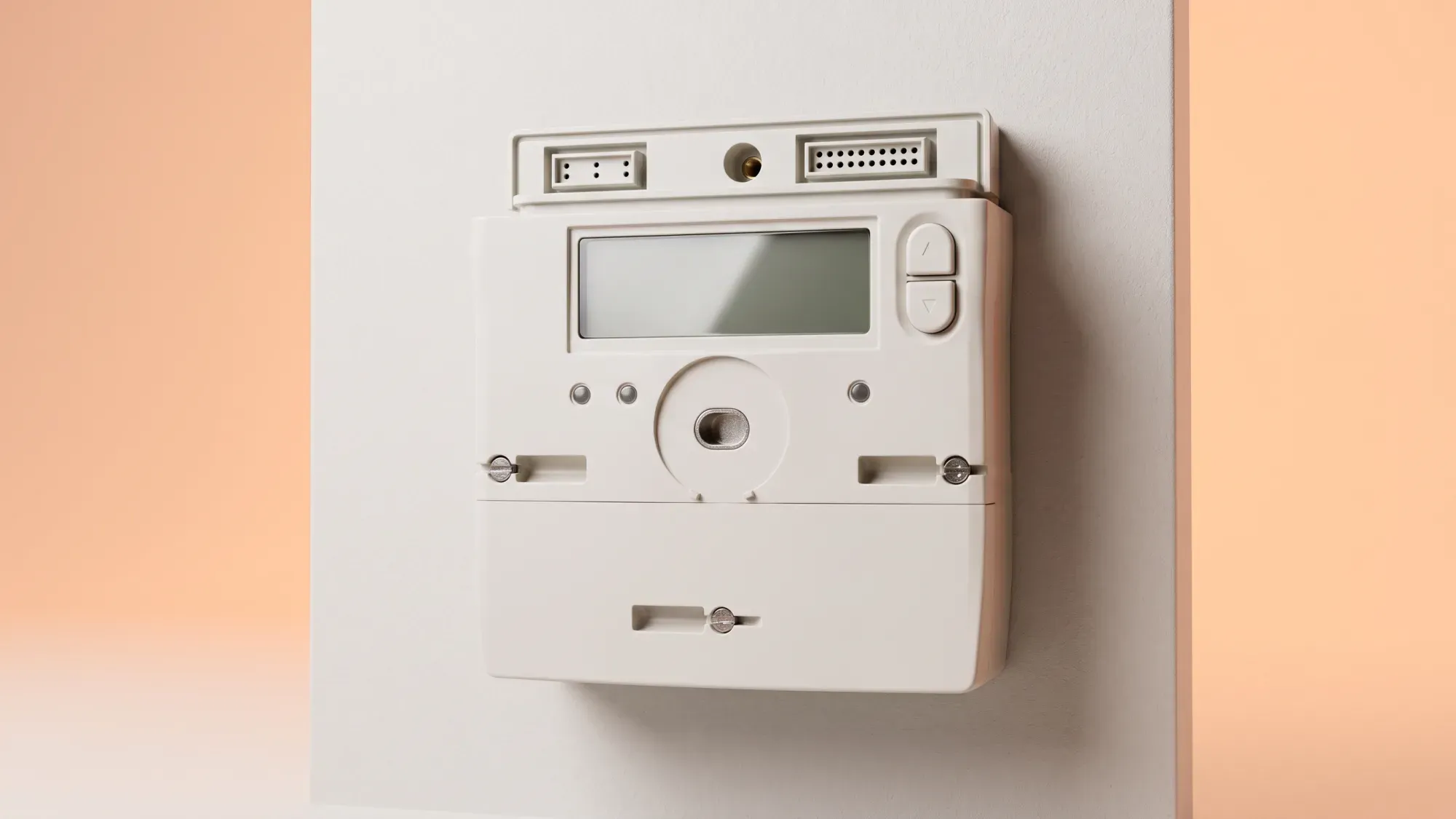
A non-working gas smart meter can be frustrating, but your gas supply is often unaffected. However, critical issues like a dead battery on an older SMETS1 meter can cut off your gas supply. This guide provides clear steps to diagnose problems and ensure accurate billing.
If you're experiencing issues with your gas smart meter, switching to an energy supplier that prioritises clear communication and support can make a real difference. Find out how easy it is to get started with Fuse Energy here.
Enter your address to get a quote and see how much you could save
Understanding your gas smart meter
Unlike electricity meters, which draw power from the mains, gas smart meters run on an internal battery. This battery powers the meter's display and its ability to communicate. Smart meters send energy usage data to your energy supplier via the Data Communications Company (DCC) network. This secure national network facilitates the transmission of data, which supports accurate billing and provides insights into your energy consumption.
Common reasons your gas smart meter stops working
Several factors can cause your gas smart meter to stop working or appear faulty:
- Depleted battery: While a blank display is often due to power-saving mode, a depleted internal battery is one possible reason for a gas smart meter issue. Gas smart meter batteries are sealed units and are not user- or engineer-replaceable. When the battery dies, the entire meter needs to be exchanged.
- SMETS1 meter battery failure: For older SMETS1 gas meters, a fully depleted battery can activate an internal safety valve, automatically cutting off your gas supply until the meter is exchanged. This is a deliberate safety mechanism.
- Power-saving mode: A blank or unresponsive display doesn't always indicate a serious fault. Many smart meters enter a power-saving mode to conserve battery life, turning off the screen until a button is pressed.
- Communication issues: Your smart meter might struggle to send readings if there's poor signal in your area, if it's too far from your electricity meter (which often relays gas meter data), or if thick walls or metal objects interfere with the connection.
- First-generation smart meters (SMETS1): Some first-generation (SMETS1) smart meters may experience DCC registration issues, preventing them from sending remote readings when customers switch suppliers. Understanding what a smart meter is and how it works can help clarify these issues.
Step-by-step troubleshooting for gas smart meter issues
If your gas smart meter isn't working as expected, try these steps before contacting your supplier:
- Check the display: If the screen is blank, try pressing any button on the meter to wake it up. For some meters, this might be an 'A' or 'Select' button. If the display reactivates, note any readings or error messages.
- Verify gas supply: If the screen remains blank, safely check if your gas supply is still working by trying a gas appliance like your central heating or hob. If you have gas, the issue is likely with the display or communication, not your supply. If you smell gas, call the National Gas Emergency Service immediately on 0800 111 999.
- Check your in-home display (IHD): Your IHD is a separate device from your meter. If your in-home display isn't working, or not showing gas data, it could be a connectivity or power issue with the IHD itself. Try moving it closer to your electricity meter, plugging it into a different socket, or restarting it.
- Look for error messages or beeping: Some meters will display error codes or emit a beeping sound if the battery is low. Note down any specific messages like 'Battery Fail' or 'B3'.
- Attempt a simple reset (if safe): While a full gas meter reset often requires your supplier, you can try restarting your IHD by unplugging it or removing its batteries for 30 seconds. Allow a few minutes for it to reconnect.
- Note down meter information: Before contacting your supplier, gather the meter's serial number (MSN) (usually under the screen or near a barcode) and any visible error codes. This information will be essential for their support team.
When to contact your energy supplier for support
If basic troubleshooting doesn't resolve your gas smart meter issues, or if you suspect a more serious problem like a dead SMETS1 battery affecting your supply, it's time to contact your energy supplier. You should also contact them if:
- Your meter's display remains blank after trying to wake it up.
- You have no gas supply, especially if you have an older SMETS1 meter.
- Your smart meter is showing error messages or beeping continuously.
- Your energy bills are estimated, indicating your meter isn't sending automatic readings.
- You've recently switched suppliers, and your smart meter has stopped communicating.
When you call, be ready with your account details, the meter's serial number, and any error codes you've noted. Energy suppliers will investigate concerns about meter accuracy and faults. If your meter is found to be faulty, they must repair or replace it free of charge.
Fuse Energy's approach to smart meter support
Dealing with energy supply issues can be stressful. Fuse Energy empowers customers with clear, actionable troubleshooting steps to alleviate anxiety around energy supply problems. We believe in providing comprehensive guidance and accessible support tools, giving you control and confidence in managing your energy supply. Our team is available to assist with smart meter concerns, ensuring you get the help you need.
What happens if my gas smart meter battery dies?
If your gas smart meter battery dies, the entire meter needs to be exchanged as the battery is sealed and not replaceable. For older SMETS1 meters, a dead battery can also trigger an internal safety valve, cutting off your gas supply until the meter is replaced.
Managing your energy bills should be clear and easy to understand. Fuse Energy focuses on straightforward pricing, so you can see exactly what you're paying without unnecessary complexity. If you have a smart meter, you can view detailed usage data through the app or website, helping you understand how you can lower your bills. If you don't have a smart meter, Fuse Energy can upgrade your non-smart meter, completely for free. This can make it easier to track spending and make informed decisions about your energy use. Our support team is always on hand with fast response times whenever you need help. Click here to switch to Fuse Energy today. Find out about our mission by clicking here.
Disclaimer
For the avoidance of doubt, this article is provided for informational purposes only and is not intended to constitute legal or financial advice. The author and/or Fuse Energy shall not be responsible for any losses arising out of any reliance on the information contained herein.